
Start with the animation you need to make
Ask what must remain editable and how you will deliver the result. A hand-drawn cartoon needs drawing and frame controls. A title or process graphic needs text, shapes and timing. A video clip needs a tested video export path. A free license alone does not answer those questions.
- Draw a different pose frame by frame: start with a drawing-focused tool such as Pencil2D.
- Move vector shapes between poses: inspect Synfig’s tweening and layer workflow.
- Combine drawn 2D work with a 3D scene: inspect Blender Grease Pencil.
- Animate editable text, shapes and interface illustrations in a local browser editor: try Chorono.
These are starting points, not a ranking of every animation app. Test one small project in the tool that matches your work, then verify its editable source and required output.
Compare four free 2D animation workflows
Pencil2D is a free, open-source desktop drawing app for traditional hand-drawn animation with bitmap and vector graphics. Its official description makes it the clearest first test when you want to draw new frames, rather than move a prepared title around.
Synfig is a free, open-source desktop 2D animation app built around vector and bitmap artwork. Its vector tweening calculates in-between frames from key positions; it also offers layers and bone controls. Try it when repeated shape or cutout motion is central to your project.
Blender Grease Pencil brings 2D drawing into a 3D environment. Blender documents frame-by-frame drawing, whole-object motion and onion skinning. Choose a small test there when mixing 2D marks with 3D staging matters more than a focused 2D title workflow.
Chorono is a free, open-source 2D editor that runs locally and opens in your browser. It has named layers, keyframes and a timeline for text and shape motion. You can edit manually or connect Codex or Claude Code through MCP. The separate agent account is managed by its provider.
Try an editable 2D motion graphics project
Play Brief to motion below. It is an eight-second process graphic with 18 named layers and 26 animation tracks. Download the portable Chorono project and open it in a separate local editor tab with Open Scene JSON. Replace one card title, scrub its entrance and save a new source file.
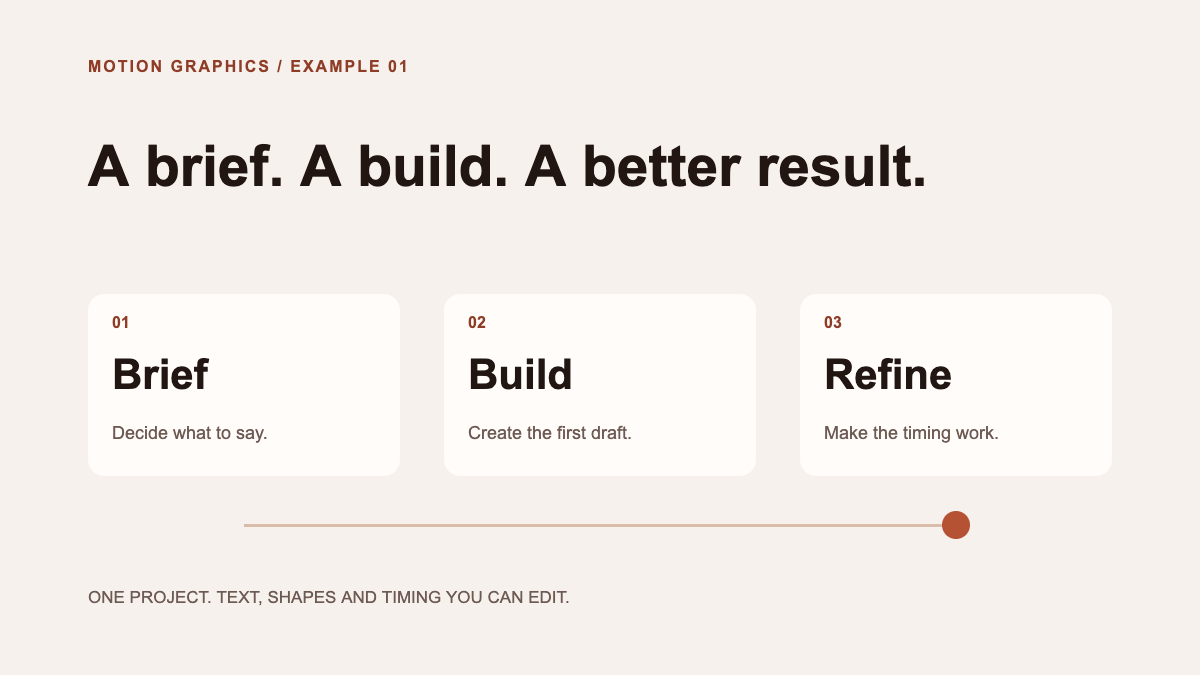
The example demonstrates editable text and shape animation, not a frame-by-frame character drawing workflow. Its browser preview plays exported scene data; the portable JSON is the source you can reopen. If you need MP4 or GIF delivery, verify that path separately before committing to the editor.
Choose a free animation tool with one practical test
- Create a five-second sample of the actual work you intend to deliver.
- Change one word, pose or motion after the first version and check whether the source stays editable.
- Save, close and reopen the project before judging the workflow.
- Export the format your destination requires and inspect the result there.
- Check the license and any separate service costs for the complete workflow.
For a hand-drawn short, compare drawing feel and onion skin controls. For a small web motion graphic, compare text editing, keyframe timing and playback output. If an AI agent helps, ask it to change one named object and verify the rest of the scene afterward.