Skip to content
Skip to content
Workspace

Import images, SVG, GIF and sprite sheets

Choose an import method according to the source. A still image is one visual resource; an animated GIF contains frames; an SVG can describe editable vector geometry. These formats should not be expected to produce identical kinds of layers.
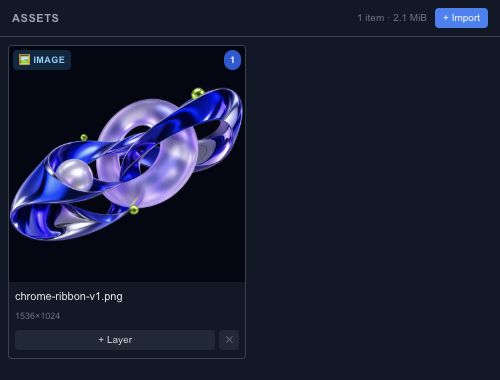
The production asset manager provides file import for the isolated scene.

Files, URLs and clipboard#

The editor supports file import, URL import and supported clipboard content. Start with a local file when diagnosing a problem. URL imports also depend on whether the source server permits the browser to read the resource.

Images, video and audio become media resources with corresponding layer workflows. GIF decoding is supported through import even though the separate GIF shortcut in the Add panel is marked as coming soon.

SVG and sprite sheets#

SVG import converts supported content into scene geometry and reports limitations. Inspect text, masks, transforms and effects rather than assuming a complex illustration is preserved perfectly.

A sprite sheet places animation frames in one image. Use the sprite-sheet import flow to describe its frame layout and timing, then preview the sequence. Check the first and last frame so a wrong cell size does not create a jump or crop.

Lottie and project JSON#

Lottie import currently retains the file and its metadata as an asset. It is not a native keyframe conversion. Open a Chorono project JSON when you need to recover editable Chorono layers and timelines. Keep the original source file whenever conversion may lose information.

A good place to start
Getting started / Chorono documentationChorono documentationLearn Chorono with editable animation examples. Install the editor, edit keyframes, build loops and connect Claude Code or Codex through MCP. Cre…Getting started / Install ChoronoInstall ChoronoSet up the free, open-source animation editor on your computer and start a local browser session. This guide installs the browser editor, its loc…Getting started / Create your first editable animationCreate your first editable animationOpen an editable Chorono example, change its text and colors, inspect the timeline, then save and reopen your first 2D animation. Start with a re…Workspace / Chorono editor workspaceChorono editor workspaceFind the canvas, layers, properties, timeline and resource tools in the Chorono editor. Choose a guide for each part of your animation workflow.…Workspace / Canvas and drawing toolsCanvas and drawing toolsNavigate the canvas, draw shapes and splines, use snapping and edit motion keys in Chorono. Use the canvas to arrange the objects in your composi…Workspace / Choose a drawing or transform toolChoose a drawing or transform toolUse Select, Pan, Pen, Move, Rotate, Scale and Anchor tools without losing track of the active editing mode. Choose the tool that matches the edit…Workspace / Select exactly the objects you needSelect exactly the objects you needUse box, lasso, circle, paint and rule-based selection to work with several animation layers. When several objects overlap, clicking each one can…Workspace / Align objects with guides and snappingAlign objects with guides and snappingSet grid, object, point, guide, pixel, angle and scale snapping for precise placement in Chorono. Snapping helps a dragged object settle on an ex…Workspace / Edit Bézier points and spline curvesEdit Bézier points and spline curvesDraw editable paths, adjust points and handles, and extend or close a spline in Chorono. A curve is easier to control when you can see the points…Workspace / Edit animation positions on the canvasEdit animation positions on the canvasUse Motion Keys to adjust position keys, draw a movement and control how the path is timed. Motion Keys bring position editing onto the canvas. T…Workspace / Layers and scene hierarchyLayers and scene hierarchySelect, name, group and organize scene objects in Chorono using the Layers panel and Scene Explorer. A layer is an editable object in your Choron…Workspace / Draw and edit basic shapesDraw and edit basic shapesCreate rectangles, circles, polygons and procedural shapes, then adjust their geometry in Properties. Basic shapes are a useful starting point fo…
Explore the docs