
Draw and edit basic shapes
Basic shapes are a useful starting point for cards, badges, diagrams and motion graphics. Open Layers → Add → Basic Shapes, choose a shape, and place it on the canvas.
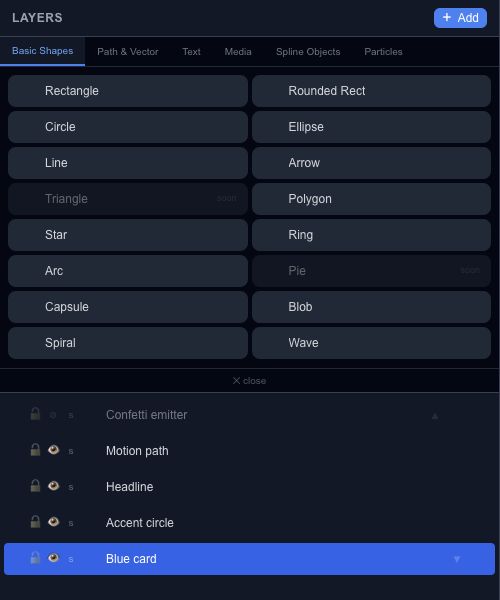
Choose a shape#
Rectangle, Rounded Rect, Circle and Ellipse cover the common filled shapes. Line and Arrow work well for connectors. Polygon, Star, Ring, Arc and Capsule provide more specific outlines. Blob, Spiral and Wave expose geometry controls for more organic or repeated forms.
Triangle and Pie are marked soon in this palette. Their presence in the menu does not mean those creation buttons are available.
Change its geometry#
Select the shape and open Properties. The controls depend on the selection: a star exposes point count and radii, an arc exposes angles, and a wave exposes amplitude, frequency and phase. Blob's seed lets you return to a repeatable irregular outline.
For a simple shape animation, start with a rectangle and animate its X position or opacity in Keyframes. Keep geometry changes separate at first so you can see which change affects the result.