
Map parameters to motion with bindings
A binding keeps a target connected to an input. Use it when changing a parameter should continuously update a layer property or the progress of an animation.
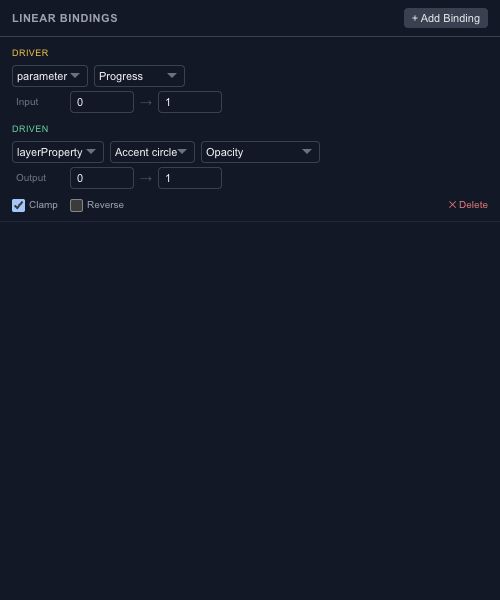
Choose source and target#
A source can be a scene parameter or a supported layer property. The target can be a supported layer property, timeline progress or another parameter. Pick values whose meanings make sense together; a drag distance and normalized progress need a range conversion.
Map the ranges#
Set the input and output ranges, then test both ends. Clamping keeps the output inside the intended range. Reversing the mapping lets a growing input produce a decreasing output, such as fading a label while a panel opens.
For an opacity binding, compare an input at its minimum, midpoint and maximum. If a keyframe track also controls the same target, inspect the evaluated result instead of assuming the two controls simply add together.
Keep relationships readable#
Prefer one clear owner for a target value. A network of bindings is easier to debug when parameters are named by purpose and ranges are documented in the project. Use Wires for a mathematical expression instead of forcing a linear mapping to do a different job.